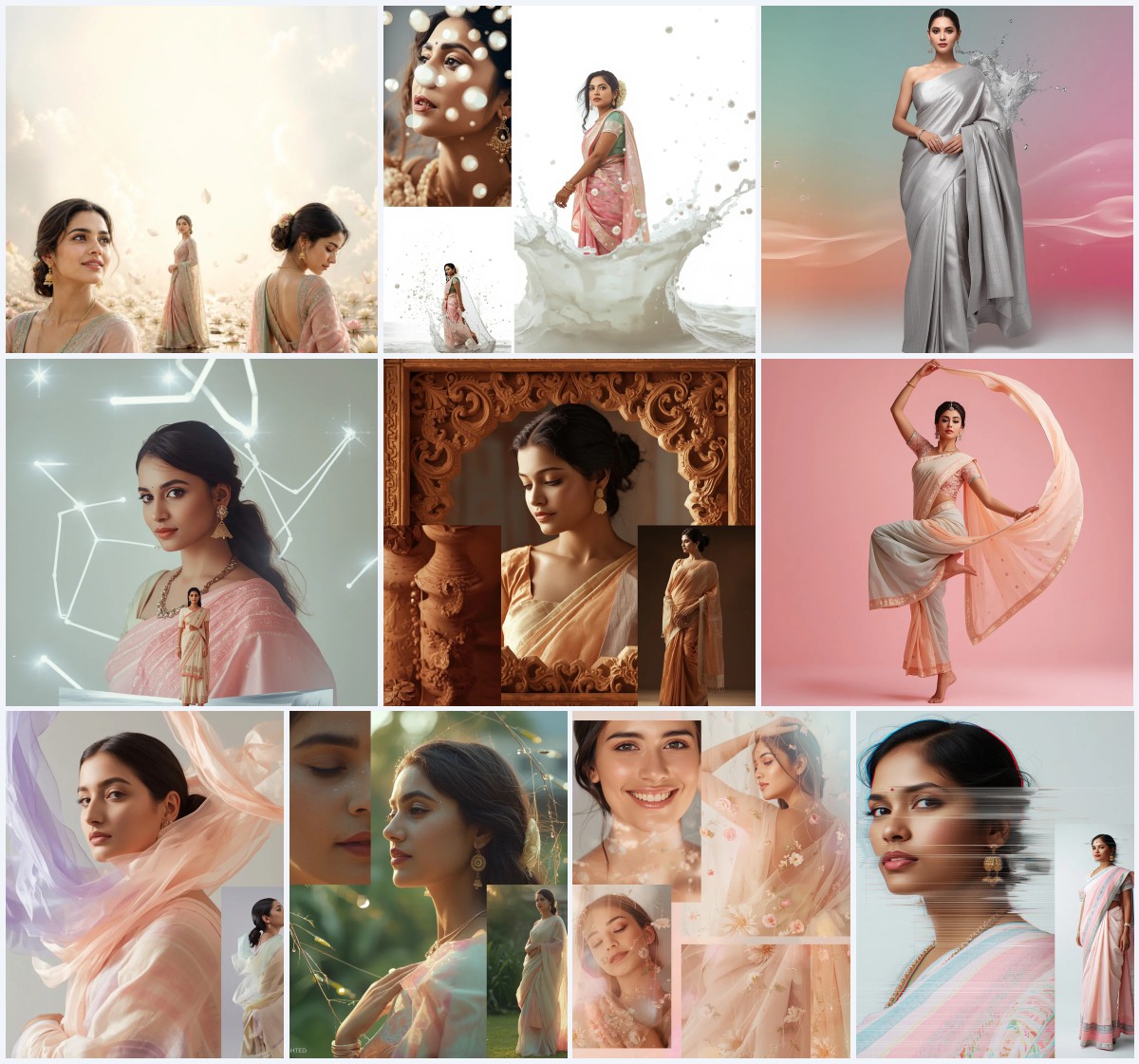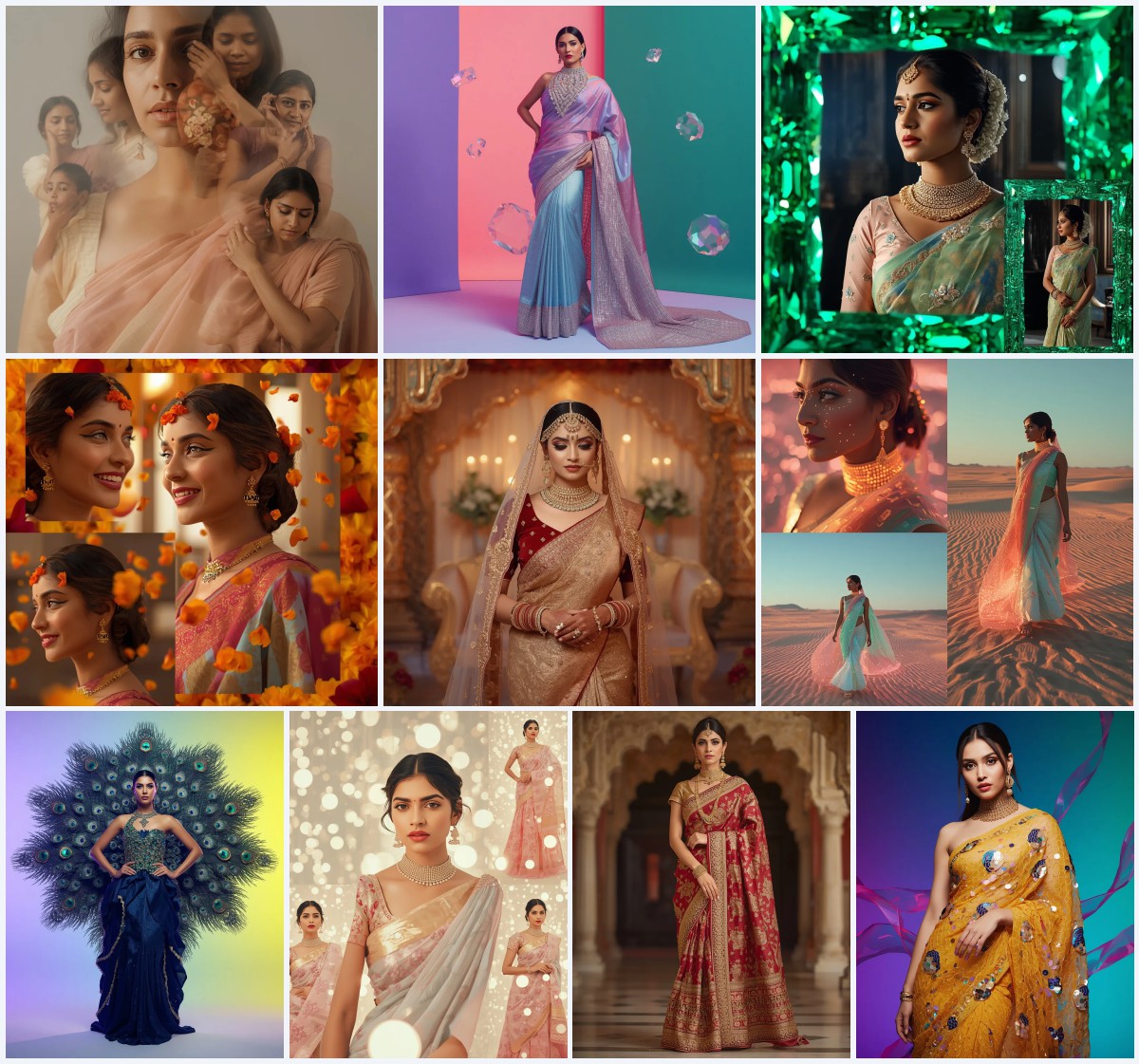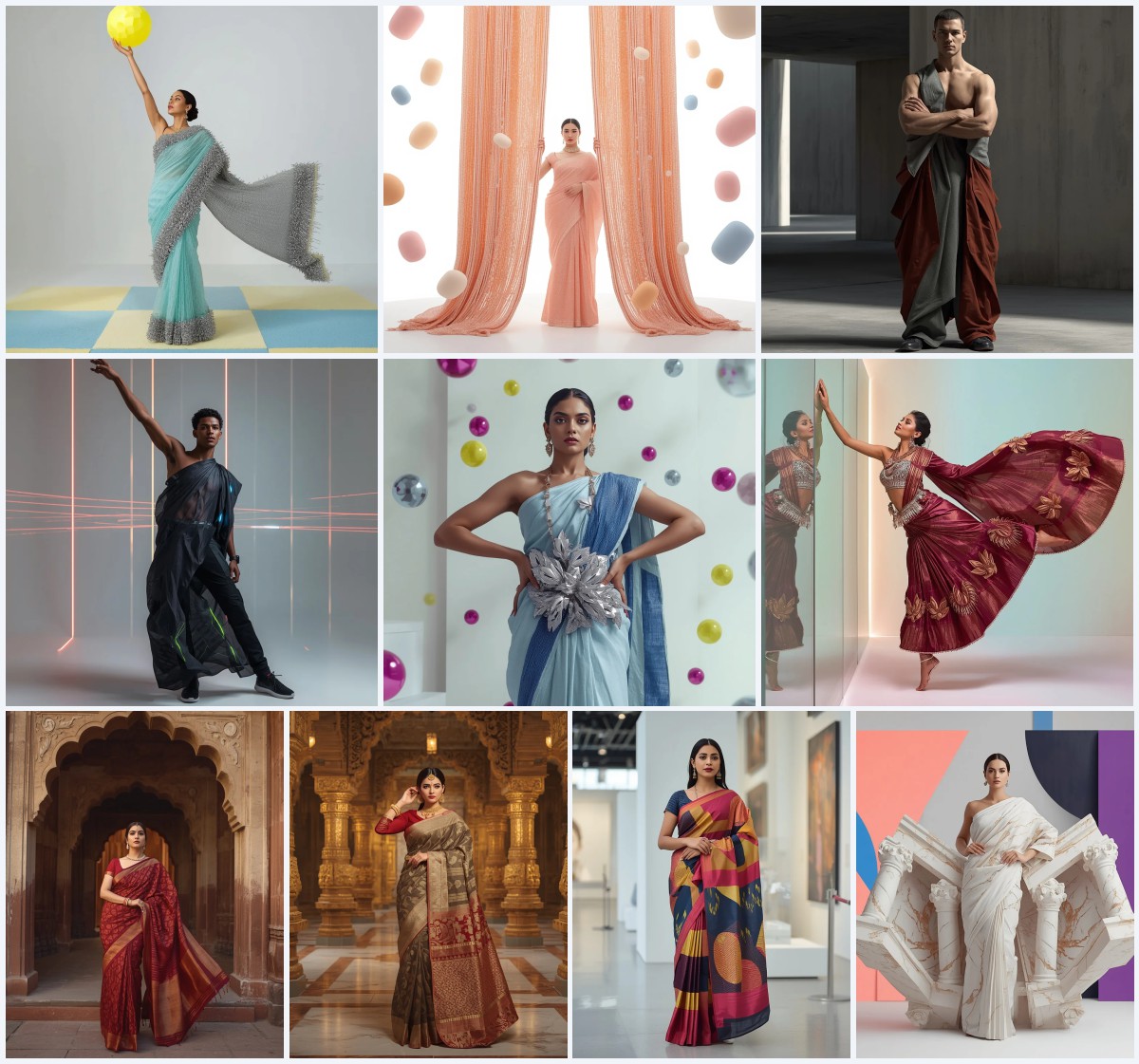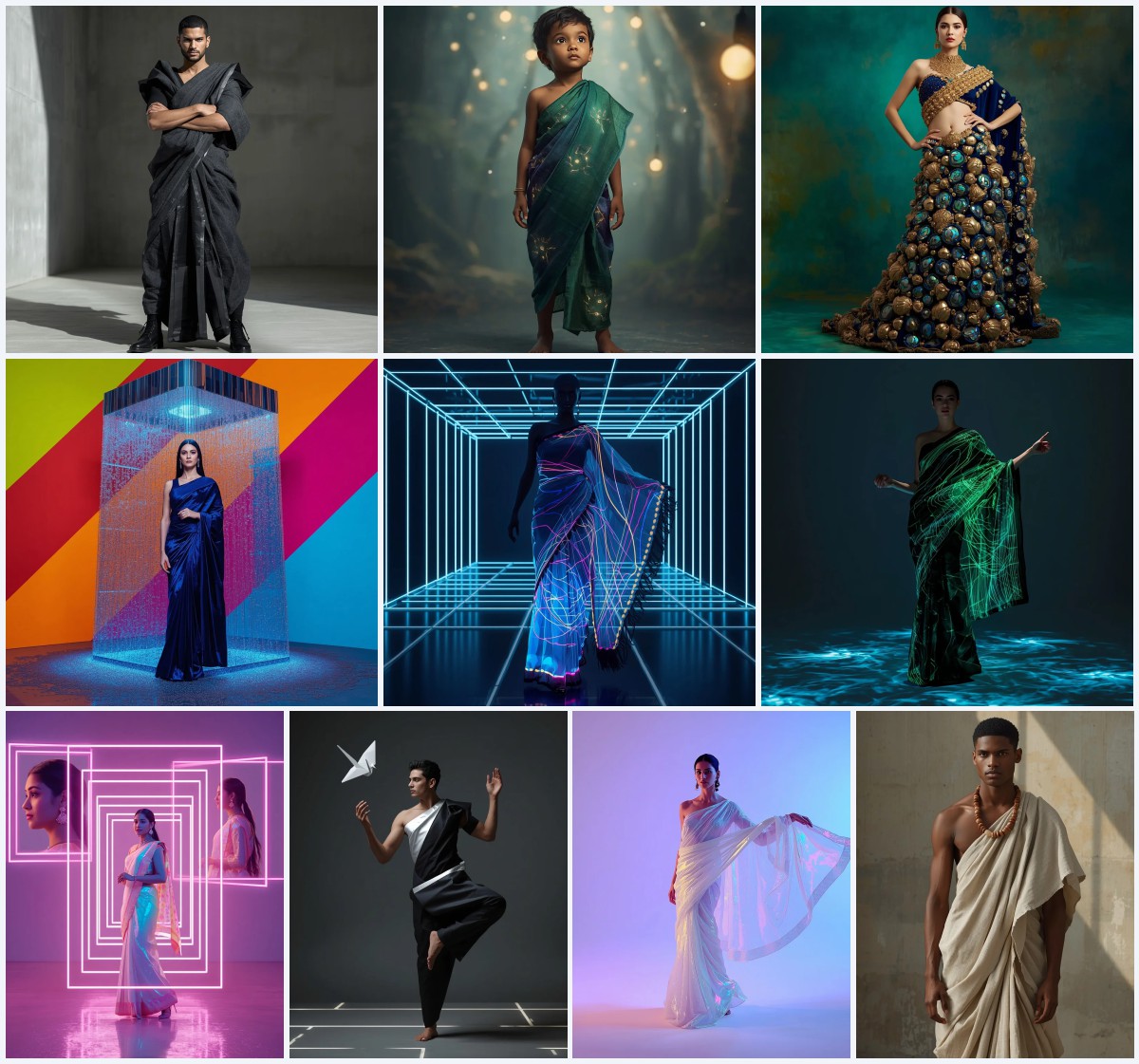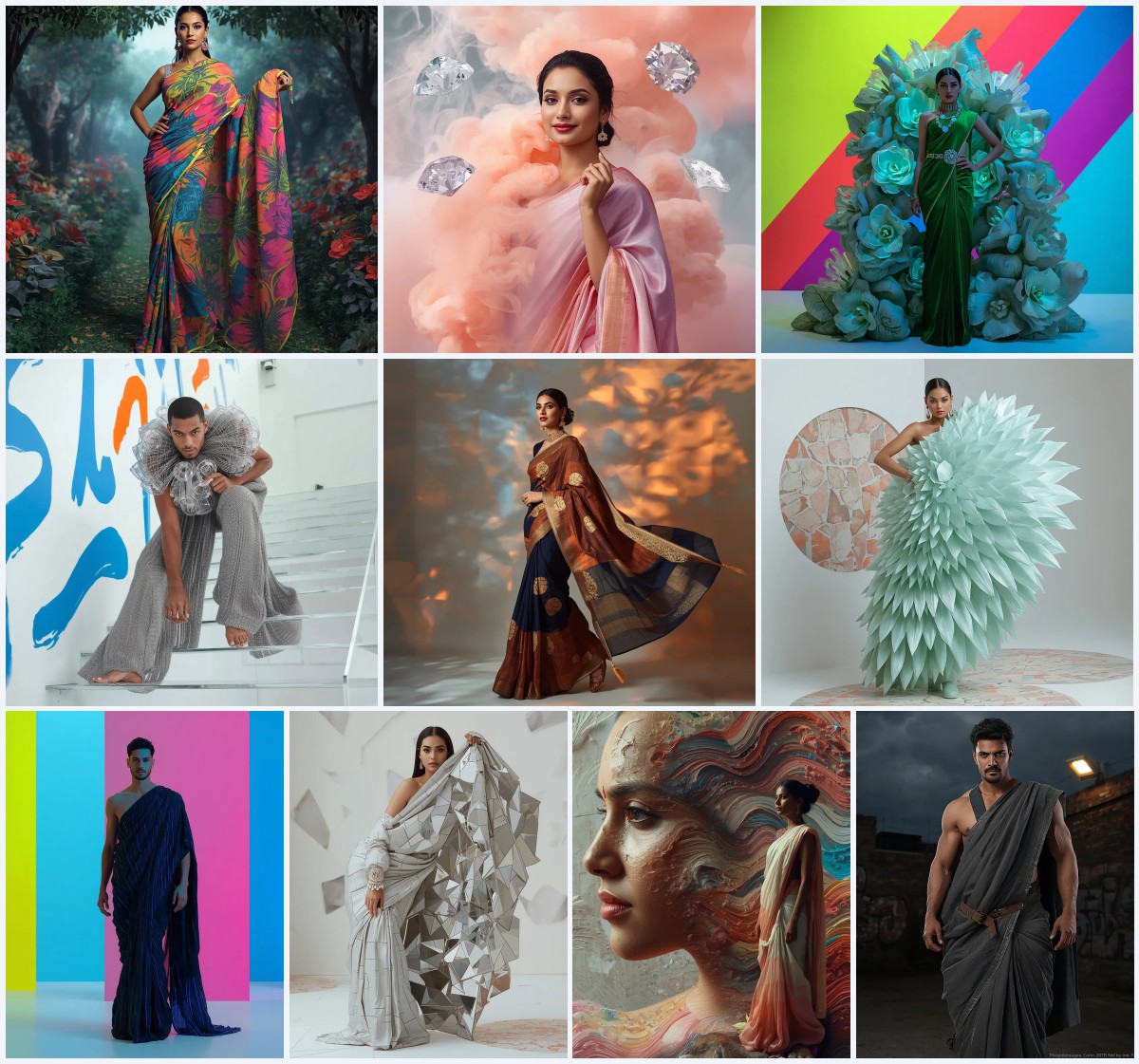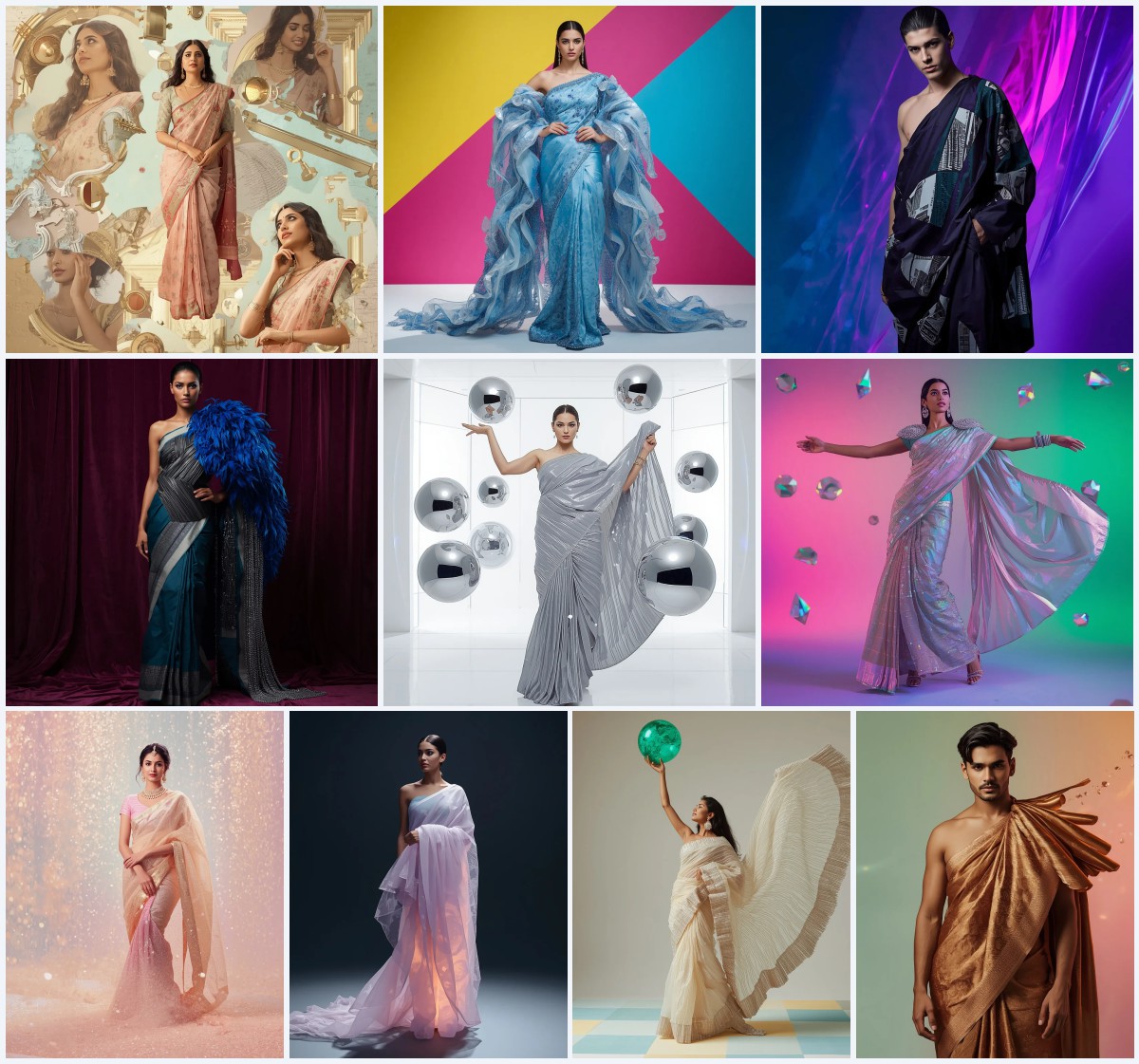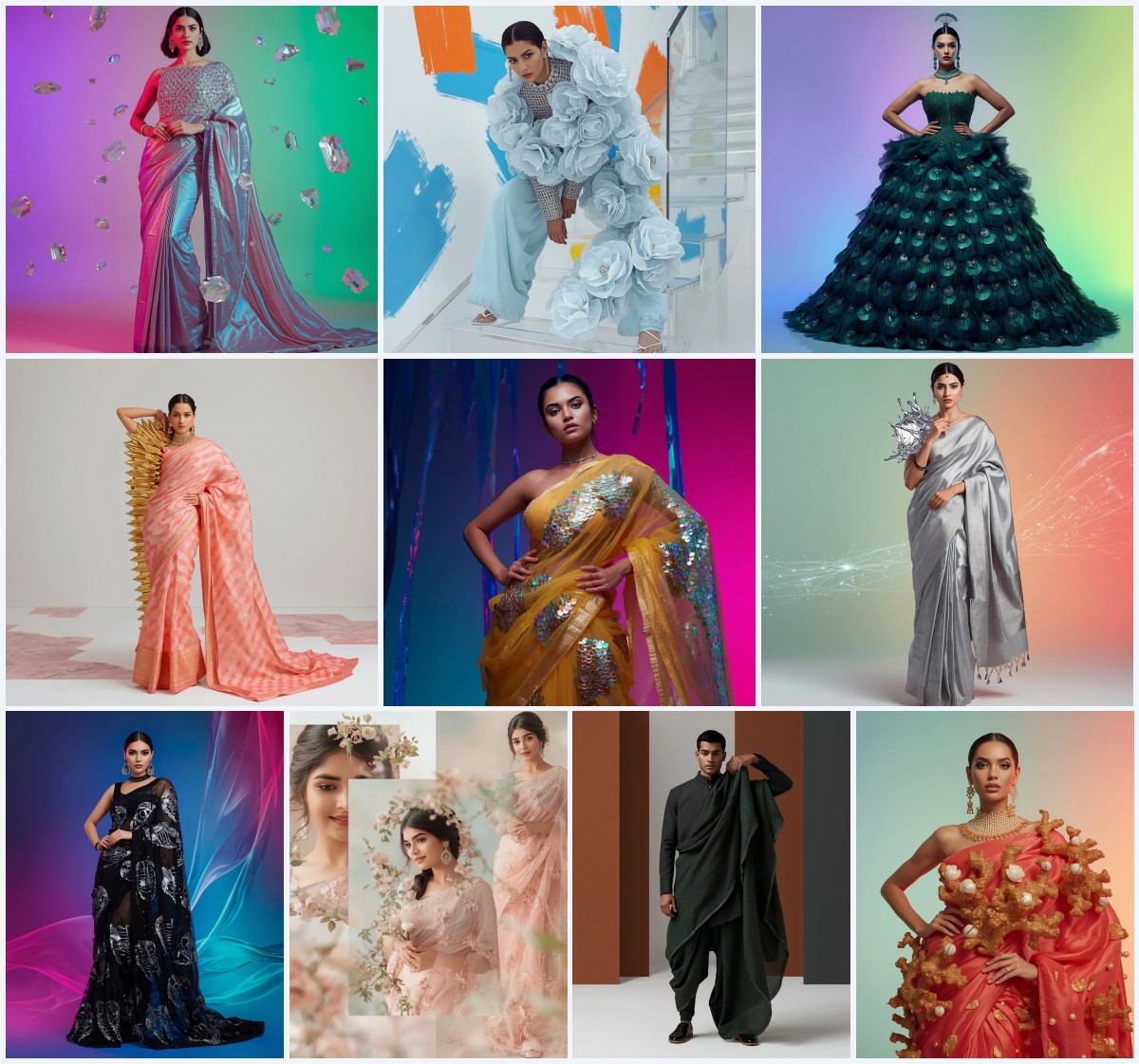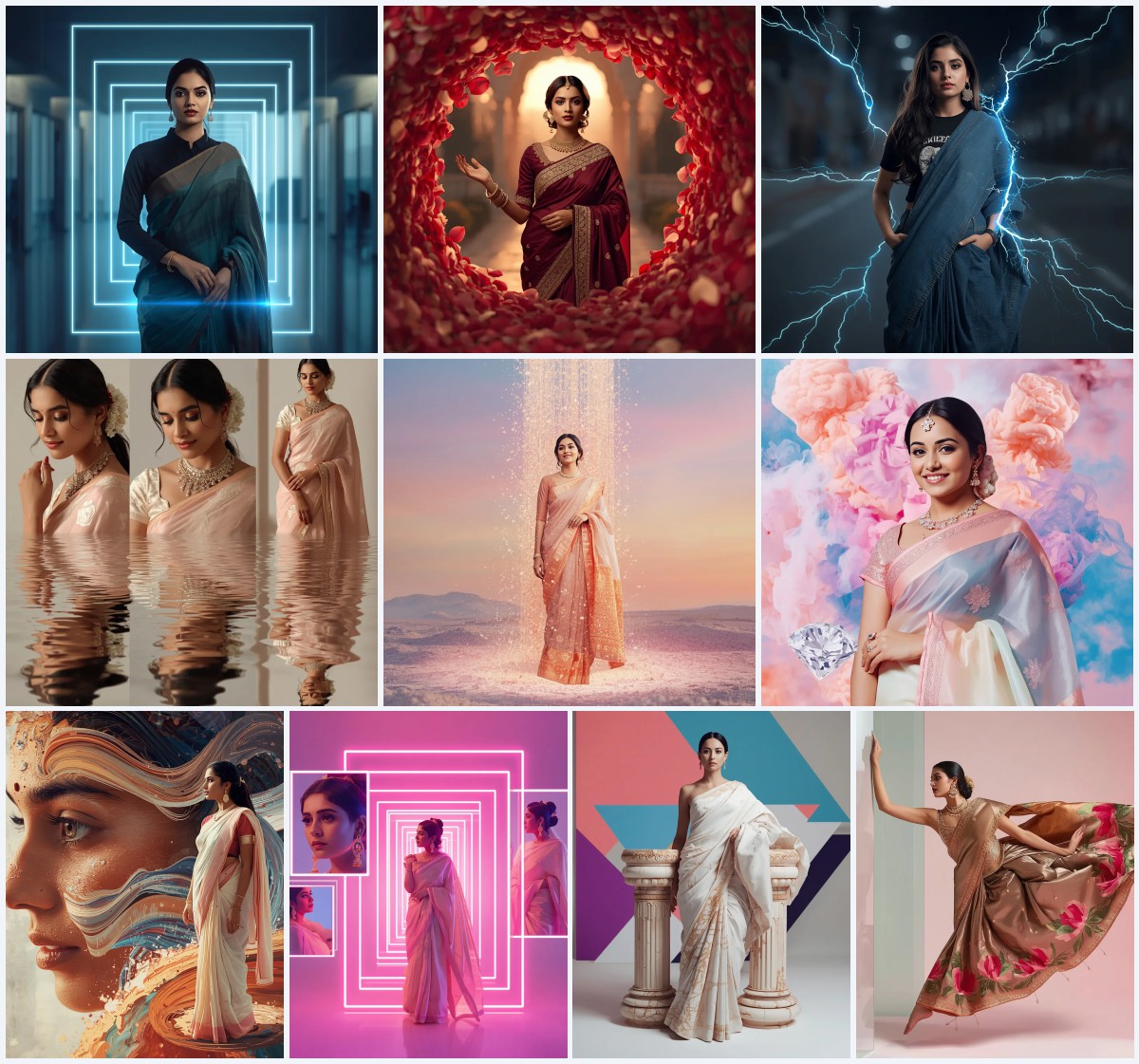
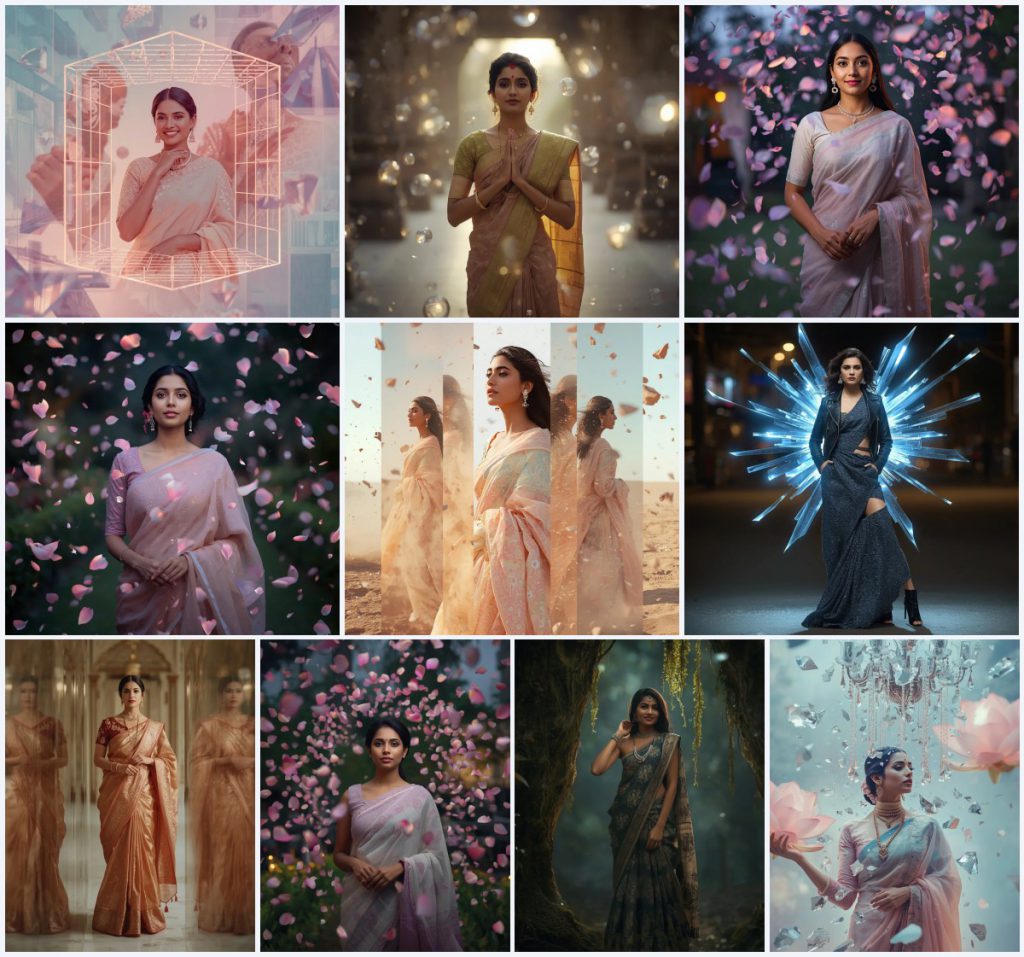


Unlock the power of AI to create breathtakingly realistic saree portraits with Aura Prompts. Our advanced prompts are meticulously crafted to generate stunning visuals, blending traditional elegance with futuristic and magical elements, ensuring every image is a masterpiece of digital art.
The saree, a garment steeped in history and cultural significance, deserves to be showcased with unparalleled artistry. With the latest advancements in AI image generation, it's now possible to create portraits that not only capture the intricate beauty of the fabric but also place the subject in imaginative, surreal, and highly detailed environments. Aura Prompts brings you a collection designed for photorealism and artistic innovation.
Whether you're a professional photographer seeking new creative avenues, a digital artist exploring cultural themes, or a fashion enthusiast looking to visualize unique styles, these prompts offer an extraordinary toolset. Imagine an Indian woman in a Kanjivaram saree surrounded by shimmering aetherial orbs, or a Boho fusion saree glowing in an enchanted forest. Our prompts make these visions a tangible reality.
This article will guide you through maximizing the potential of AI prompts for realistic saree portraits. Discover how to leverage powerful AI tools to generate images that are not just visually appealing but also incredibly lifelike, rich in detail, and brimming with artistic flair. Prepare to transform your creative output and produce stunning, unforgettable saree portraits.
What Are Realistic Saree Portraits?
Realistic saree portraits, when generated by AI, are digital images that meticulously mimic the appearance of photographs, focusing on lifelike textures, accurate lighting, and believable human features, all while depicting an Indian woman adorned in a saree. The emphasis here is on rendering the saree fabric, jewelry, and the subject's expression with a degree of authenticity that can often be mistaken for real photography.
Aura Prompts' collection of realistic saree portrait prompts goes a step further, integrating surreal or fantastical elements without compromising realism. For instance, a prompt might describe an "Indian woman in a classic silk Kanjivaram saree with intricate gold zari work," positioned amidst "countless shimmering, semi-transparent aetherial orbs." The beauty lies in making these magical elements appear as if they naturally belong within a photorealistic scene. Other concepts include festive pastel sarees within "isometric crystal city grids" or "minimal gravity dust storms," where the environment itself is fantastical yet rendered with photographic precision. These prompts are designed to create images that are both stunningly real and uniquely imaginative, perfect for "globally premium" editorial content.
Why Realistic Saree Portraits Are Trending
The burgeoning trend of realistic AI-generated saree portraits is fueled by several factors, primarily the desire for high-quality, authentic-looking visuals that push creative boundaries without the logistical challenges of traditional photoshoots. In a visual era, demand for striking, unique imagery is constant, and AI provides an innovative solution.
Firstly, the advancement of AI models like Midjourney and Leonardo AI means they can now produce images with an astonishing level of photorealism, capturing intricate details of fabric, skin, and light that were once difficult for AI. This capability allows creators to explore diverse saree styles—from "classic silk Kanjivaram" to "Boho Fusion Indian Dress"—and experiment with complex environmental effects like "time-distorted reflections" or "enchanted forest glow" without needing elaborate sets or models.
Secondly, the quest for "viral" and "trending" content drives the adoption of such prompts. Images featuring "dynamic digital shards" around a "deconstructed saree gown" or a "zero-gravity storm of a shattered antique crystal chandelier" offer a fresh, captivating aesthetic that stands out on social media platforms. These prompts enable the creation of visually rich storytelling that blends cultural heritage with cutting-edge digital artistry, appealing to a global audience.
Popular Styles You Can Create with Realistic Saree Portraits
Aura Prompts' collection for realistic saree portraits offers a rich tapestry of styles, from timeless traditional elegance to avant-garde fusion. Each prompt is a detailed blueprint for compelling, lifelike visuals.
Here are some of the popular styles and evocative settings you can explore:
- **Traditional Elegance with Mystical Elements:** Envision an Indian woman in a classic silk Kanjivaram saree with intricate gold zari work, gracefully standing amidst shimmering, semi-transparent aetherial orbs. Or a traditional ethnic dress with a heavily embroidered blouse, surrounded by time-distorted reflections, a surreal artistic effect.
- **Handloom Serenity with Ethereal Glow:** Picture a soft handwoven cotton saree with delicate motifs, enveloped by thousands of ethereal glowing petals in soft pastel hues, creating a dreamlike and serene portrait. Emphasizing natural beauty and a gentle, magical ambiance.
- **Futuristic & Couture Luxury:** Generate an Indian woman in a festive pastel saree within a geometric, isometric perspective of a glowing crystal city grid, or surrounded by floating particles in a minimal gravity dust storm. Another option is a zero-gravity storm of a shattered antique crystal chandelier, with glass prisms magically freezing into ice lotus flowers around her.
- **Edgy Street Style Fusion:** Create a viral, trending full-body image of an Indian woman in a deconstructed saree gown with a leather jacket, posed with defiant confidence amidst sharp, glowing digital shards. Perfect for high-energy, contemporary fashion.
- **Boho Fusion in Enchanted Settings:** Imagine a flowing saree draped in an unconventional style with tribal prints and chunky silver jewelry, situated deep within an enchanted forest where ancient trees glow with bioluminescent moss and ethereal flowers. Evoking a free-spirited and magical vibe.
These detailed prompts provide the foundation for generating highly realistic and uniquely styled saree portraits that captivate and inspire, blending cultural depth with imaginative digital artistry.
How to Use Realistic Saree Portraits
To generate stunning, realistic saree portraits with Aura Prompts, follow these steps:
- **Choose Your Prompt:** Begin by selecting a prompt from our collection that aligns with the realistic aesthetic and specific style you wish to achieve. Consider the saree type, environment, and special effects mentioned (e.g., "aetherial orbs," "enchanted forest glow").
- **Analyze Key Descriptors:** Pay close attention to words that emphasize realism, such as "realistic," "photorealistic," "intricate," "detailed," and descriptions of fabric textures or lighting. These are crucial for guiding the AI.
- **Select a High-Fidelity AI Tool:** Opt for an AI image generator known for its photorealistic capabilities, such as Midjourney, Leonardo AI, Flux, ChatGPT (with DALL-E 3), or Gemini. These tools are better equipped to render fine details and lifelike qualities.
- **Input the Prompt:** Copy the complete, detailed prompt text from Aura Prompts and paste it directly into the text input field of your chosen AI image generator.
- **Add Realism Modifiers (Optional):** To further enhance realism, you can often add general realism modifiers to the end of your prompt if they aren't already explicitly included, such as "photorealistic," "ultra-detailed," "8k," "cinematic lighting," or "shot on a Canon R5."
- **Generate and Evaluate:** Run the prompt. Carefully examine the generated images for realism in facial features, fabric drape, lighting, and how well the fantastical elements integrate into the realistic scene.
- **Refine and Iterate:** If necessary, make small adjustments to the prompt. You might add negative prompts (e.g., "--no blurry elements") or tweak specific descriptors to improve realism or correct distortions. Regenerate until you achieve the desired lifelike quality.
What Kind of Base Photo Works Best?
For realistic saree portraits from our text-based AI prompts, a "base photo" refers to the AI's internal understanding of visual data, as prompts create images from scratch, leveraging the AI's knowledge of "Indian woman" and "saree."
However, if your chosen AI tool supports image-to-image generation or provides options for stylistic transfer, a simple, high-resolution base photo can be beneficial. An ideal base photo for these scenarios would be a clear, well-lit portrait of an Indian woman in a relatively neutral pose, against a clean or uncomplicated background. The woman's expression should be natural, and her features distinct. This kind of base photo allows the AI to anchor its generation on realistic human anatomy and facial structure, while still being guided by the intricate details of your chosen prompt regarding the saree style, props like "aetherial orbs," or fantastical settings such as an "enchanted forest glow."
Which AI Tools Deliver the Best Results?
To achieve truly realistic saree portraits, selecting the right AI image generation tool is paramount. The best tools excel at rendering fine details, realistic textures, and nuanced lighting, making them ideal for translating our detailed prompts into lifelike visuals.
| AI Tool | Strengths for Realistic Portraits | Best For |
|---|---|---|
| Midjourney | Exceptional photorealism, artistic lighting, and ability to handle complex compositions with intricate details. Great for "cinematic" and "globally premium" looks. | High-fidelity, artistic, and hyper-realistic portraiture. |
| Leonardo AI | Strong control over realism, specific feature generation, and robust image-to-image capabilities for guiding facial details. | Detailed, controlled, and consistent photorealistic outputs. |
| Flux AI | Emerging as a powerful tool for dynamic and realistic visuals, capable of intricate texture and light rendering, especially for complex environments. | Cutting-edge, dynamic, and highly detailed realistic scenes. |
| ChatGPT (with DALL-E 3) | Excellent at understanding complex, descriptive prompts and rendering coherent, often realistic, scenes based on textual nuances. | Accessible, quick generation of realistic interpretations from detailed text. |
| Gemini (with Image Generation) | Strong multimodal understanding, good for interpreting nuanced prompts and generating culturally sensitive, realistic imagery. | Contextually accurate and coherent realistic scenes. |
Experimenting with these tools will allow you to discover which one best interprets your chosen saree portrait prompts for the most realistic and stunning outcomes.
Pro Tips for Generating Stunning Realistic Saree Portraits
To achieve stunning, realistic saree portraits with AI, here are professional tips:
- **Emphasize Realism Keywords:** Always include terms like "photorealistic," "ultra-detailed," "hyperrealistic," "8k," "4k," "award-winning photography," or "cinematic lighting" in your prompts. These guide the AI toward a higher fidelity output.
- **Specify Camera & Lens Details:** For an authentic photographic feel, add details like "shot on a Canon R5," "with a 50mm f/1.4 lens," "shallow depth of field," or "bokeh background." This helps the AI mimic professional camera aesthetics.
- **Focus on Fabric & Texture:** Describe the saree fabric with rich adjectives: "soft handwoven cotton," "lustrous silk Kanjivaram," "intricate gold zari work," "flowing drape." This encourages the AI to render realistic material qualities.
- **Vary Poses and Expressions:** Our prompts often suggest specific poses (e.g., "stands gracefully," "hands in a traditional mudra") and expressions (e.g., "serene expression," "gentle, enigmatic smile"). Ensure these are clearly articulated and try variations for dynamic results.
- **Utilize Lighting Descriptors:** Good lighting is crucial for realism. Use terms like "natural light," "golden hour," "soft studio lighting," "luminous," or "glowing with internal light" to achieve desired atmospheric effects.
- **Refine with Negative Prompts:** To avoid common AI artifacts, use negative prompts such as "--no distorted face," "--no blurry," "--no extra limbs," "--no cartoon," "--no low quality."
- **Experiment with Seeds & Styles:** If your AI tool allows, try different seed numbers or stylistic weights. Small changes can sometimes lead to significant improvements in realism and composition, revealing unexpected artistic interpretations.
Common Issues and Quick Fixes
Generating realistic AI portraits can sometimes present challenges. Here’s a table addressing common issues and offering quick solutions:
| Issue | Description | Quick Fix |
|---|---|---|
| Unrealistic Facial Features | Faces appear distorted, unnatural, or lack human authenticity. | Add "beautiful face," "perfect facial symmetry," "realistic eyes." Use negative prompts: "--no deformed face." Regenerate with a new seed. |
| Fabric Texture Issues | Saree fabric looks flat, plasticky, or lacks the described material quality. | Emphasize "realistic fabric texture," "intricate weave," "flowing silk," "soft cotton." Specify material: "silk texture," "cotton drape." |
| Inconsistent Lighting | Lighting doesn't feel natural, creates harsh shadows, or doesn't match the scene's mood. | Refine lighting descriptors: "soft natural light," "golden hour glow," "cinematic studio lighting." Add "consistent lighting." |
| Fantastical Elements Look Fake | Elements like "aetherial orbs" or "glowing petals" don't blend realistically. | Add "realistically rendered," "seamless integration," "subtle glow." Ensure lighting is consistent between subject and elements. |
| General Lack of Realism | The overall image still looks artificial or like a drawing/painting. | Intensify realism keywords: "photorealistic," "hyperrealistic," "8k," "shot on DSLR." Remove stylistic modifiers that lean toward art. |
Frequently Asked Questions
How can I ensure the AI-generated saree portraits look realistic?
To ensure realism, focus on prompts that emphasize details like fabric texture (e.g., "soft handwoven cotton," "classic silk Kanjivaram with intricate gold zari work"), lighting ("luminous and cinematic," "softly glowing"), and realistic poses. Incorporating terms like "photorealistic," "ultra-detailed," and "8k" directly into your prompt, and using advanced AI models like Midjourney or Leonardo, will significantly enhance the lifelike quality of your images.
What kind of unique settings can I create for saree portraits with these prompts?
These prompts offer incredibly diverse and unique settings, including futuristic isometric crystal city grids, magical environments with ethereal orbs or glowing petals, dramatic minimal gravity dust storms, surreal time-distorted reflections, enchanting bioluminescent forests, and even zero-gravity chandelier storms where glass transmutes into ice lotus flowers. The possibilities are vast and imaginative.
Are these prompts suitable for both traditional and modern saree looks?
Yes, absolutely. The collection is designed to cater to a broad spectrum of styles. You'll find prompts for classic silk Kanjivaram sarees with intricate gold zari work and heavily embroidered blouses for traditional elegance, alongside concepts for deconstructed saree gowns with leather jackets for an edgy street style, and Boho fusion drapes with tribal prints for a contemporary twist. This ensures versatility for all your creative needs.
Conclusion
The journey into AI-generated realistic saree portraits is exciting, blending cultural heritage with digital artistry. Aura Prompts provides essential tools—meticulously crafted prompts—to produce stunning, lifelike, and narrative-rich images.
From serene handloom sarees to futuristic ice lotus storms, our prompts unlock imaginative possibilities. Leverage AI models and tips for high-quality, realistic portraits that captivate and inspire.